
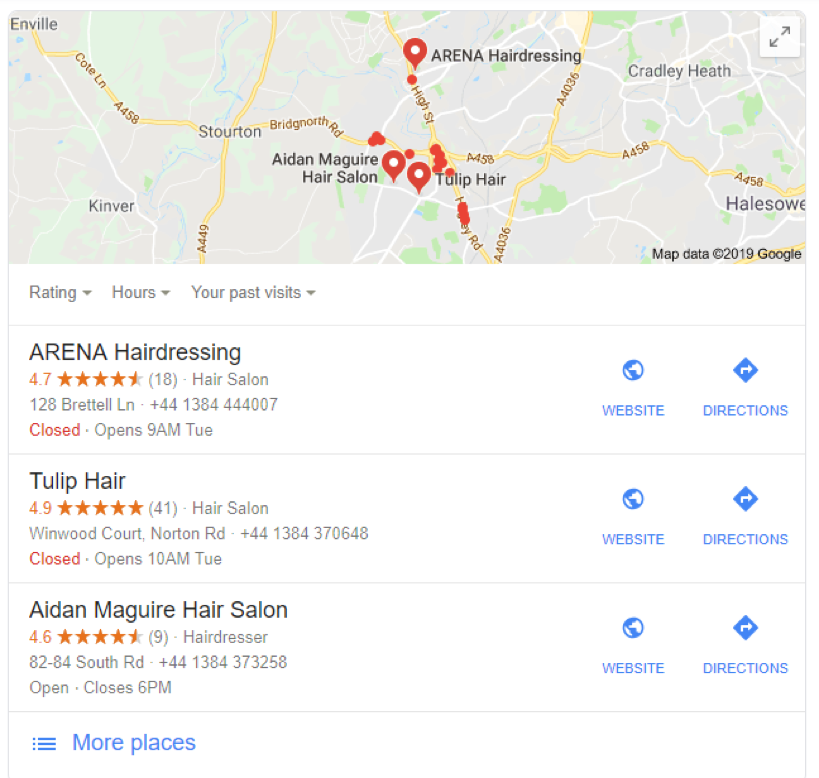
Few things are more alarming for a local business than discovering that your Google Business Profile has been suspended.
One day your business is appearing in Google Maps and local search results, generating calls and enquiries. The next, your profile disappears, leaving potential customers unable to find you.
The good news is that many Google Business Profile (GBP) suspensions can be resolved. However, understanding why your profile was suspended and following the correct reinstatement process is essential if you want to restore your visibility as quickly as possible.
This guide explains the most common reasons for Google Business Profile suspensions, what happens when a profile is suspended, and the steps you should take to get your listing reinstated.
What Is a Google Business Profile Suspension?
A suspension occurs when Google determines that a business profile may violate its guidelines or cannot be properly verified.
When suspended, your business may lose visibility in:
- Google Search
- Google Maps
- The Local Pack
- Branded searches
This can have a significant impact on local traffic, enquiries, and sales.
For many businesses, a suspended profile means a sudden drop in leads almost overnight.
Types of Google Business Profile Suspensions
There are generally two types of suspension.
Soft Suspension
With a soft suspension:
- The profile may still appear publicly.
- The owner loses management access.
- Certain profile functions become unavailable.
This type of suspension is often easier to resolve.
Hard Suspension
With a hard suspension:
- The profile is removed from public view.
- The listing disappears from Google Maps.
- Customers can no longer find the business through the profile.
Hard suspensions typically require a full reinstatement request.
Common Reasons for Google Business Profile Suspensions
Google rarely provides a detailed explanation when suspending a profile. However, most suspensions result from guideline violations or trust issues.
Keyword Stuffing the Business Name
One of the most common reasons for suspension is adding extra keywords to the business name.
For example:
Incorrect:
“ABC Roofing Ltd | Emergency Roof Repairs Manchester”
Correct:
“ABC Roofing Ltd”
Your profile name should match your real-world business name as it appears on signage, official documents, and branding.
Address Issues
Google may suspend listings when:
- The address cannot be verified
- Virtual offices are used incorrectly
- Mailbox services are listed as physical locations
- The business isn’t genuinely located at the address shown
Businesses that visit customers at their premises should often be configured as service-area businesses rather than displaying an address.
Multiple Listings
Creating duplicate profiles for the same business can trigger suspension.
Examples include:
- Multiple profiles for one location
- Duplicate practitioner listings
- Separate listings targeting nearby towns
Google generally expects one profile per legitimate business location.
Frequent Profile Changes
Making multiple significant changes within a short period can trigger Google’s fraud-detection systems.
Examples include:
- Repeated address edits
- Business name changes
- Category changes
- Ownership transfers
While legitimate edits are allowed, excessive changes may prompt a review.
Ineligible Business Types
Not all businesses qualify for a Google Business Profile.
Examples that may face issues include:
- Purely online businesses
- Lead-generation websites
- Businesses without direct customer interaction
- Temporary or non-permanent operations
Google requires businesses to meet specific eligibility requirements.
Verification Problems
Sometimes suspensions occur because Google cannot confidently verify the business.
This may happen if:
- Documentation doesn’t match profile details
- Business information is inconsistent online
- Verification requests are incomplete
What Happens After a Suspension?
When a profile is suspended, you may receive a notification in your Google Business Profile dashboard.
The listing may display messages such as:
- Suspended
- Disabled
- Verification required
At this point, it’s important not to panic.
Many businesses successfully regain access after correcting the underlying issues.
Step 1: Review Google’s Guidelines
Before submitting a reinstatement request, carefully review your profile.
Check for:
✓ Accurate business name
✓ Correct address
✓ Valid phone number
✓ Genuine business categories
✓ Proper service area settings
✓ Compliance with Google’s guidelines
If any information appears questionable, correct it first.
Submitting a reinstatement request without fixing the issue often leads to rejection.
Step 2: Gather Supporting Documentation
Google may request evidence proving that your business exists and operates legitimately.
Useful documents include:
Business Registration Documents
Examples:
- Companies House registration
- Business licences
- Tax registration documents
Utility Bills
Recent utility bills showing:
- Business name
- Business address
Insurance Documents
Many service businesses can use insurance paperwork as supporting evidence.
Vehicle Branding
Photos showing:
- Company vehicles
- Permanent branding
- Contact details
Business Signage
Photographs of:
- Exterior signs
- Office signage
- Storefront branding
The more evidence you can provide, the stronger your case becomes.
Step 3: Correct Any Profile Issues
Before requesting reinstatement, ensure:
✓ Business name follows guidelines
✓ Address is accurate
✓ Categories are appropriate
✓ Service areas are correctly configured
✓ Duplicate listings are removed
✓ Contact details are consistent
Google is more likely to approve profiles that fully comply with its requirements.
Step 4: Submit a Reinstatement Request
Once you’ve reviewed and corrected the profile, submit a reinstatement request through Google’s official process.
Be honest and concise.
Explain:
- What happened
- Any changes made
- Why the profile complies with guidelines
Avoid emotional appeals or lengthy explanations.
Focus on facts and supporting evidence.
How Long Does Reinstatement Take?
Reinstatement times vary.
Some businesses receive a decision within a few days.
Others may wait several weeks depending on:
- Case complexity
- Documentation quality
- Verification requirements
- Current support workloads
Patience is often required.
Submitting multiple requests usually does not speed up the process.
What If Your Reinstatement Request Is Rejected?
A rejection does not necessarily mean the situation is hopeless.
Review the profile again and look for:
- Remaining guideline violations
- Documentation issues
- Address inconsistencies
- Duplicate listings
You may need to gather additional evidence before submitting another request.
Many successful reinstatements occur after businesses provide stronger supporting documentation.
How to Prevent Future Suspensions
The best strategy is prevention.
Keep Information Accurate
Regularly review:
- Business name
- Address
- Phone number
- Website URL
- Categories
Avoid Spam Tactics
Never:
- Stuff keywords into your business name
- Create fake locations
- Purchase reviews
- Use virtual offices improperly
Limit Unnecessary Changes
Avoid making frequent edits unless genuinely required.
Maintain Consistency
Ensure your business details match across:
- Your website
- Online directories
- Social media profiles
- Government records
Consistency helps reinforce trust.
When Should You Seek Professional Help?
If your profile has been suspended for an extended period or multiple reinstatement requests have failed, it may be worth consulting a local SEO specialist.
An experienced professional can often identify compliance issues that may not be immediately obvious and help prepare stronger evidence for Google.
For businesses that rely heavily on local search traffic, professional assistance can often save significant time and lost revenue.
Avoid Shortcuts
A Google Business Profile suspension can be frustrating, but in many cases it can be resolved successfully. The key is identifying the underlying issue, correcting any guideline violations, gathering strong supporting documentation, and following Google’s reinstatement process carefully.
Avoid shortcuts, ensure your profile accurately reflects your real-world business, and focus on compliance rather than trying to game the system. A fully compliant Google Business Profile not only reduces the risk of future suspensions but also provides a stronger foundation for long-term local SEO success.
If your business depends on visibility in Google Maps and local search results, taking the time to resolve a suspension properly is one of the most important investments you can make.
